A storefront window graphic has to work while someone is approaching, while they are passing and when they reach the entrance. A layout that looks balanced on a screen can lose its main message behind a door frame or turn the shop into a wall of competing offers.
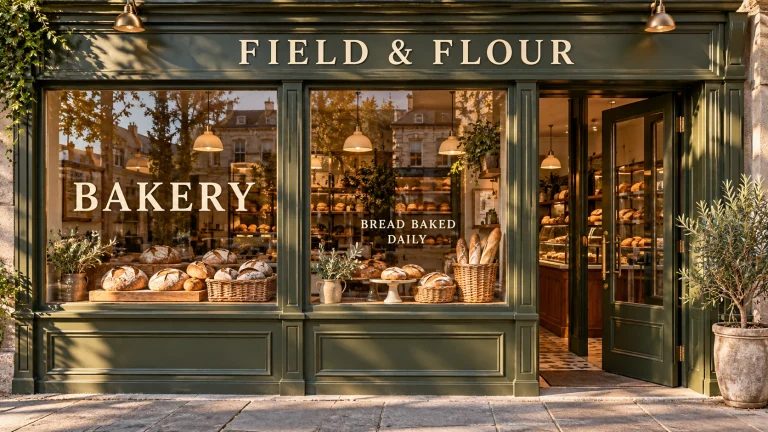
Start with what people need to see from each position, then fit the artwork to the glass. The following workflow covers the site survey, message hierarchy, coverage decisions and approval proof. The fictional Field & Flour bakery in the illustrations is a design example, not an installation or a customer result.
Survey the view before measuring the artwork
Photograph the storefront straight on, then from the directions customers actually approach. Label the panes from left to right and record the exposed glass dimensions, mullions, handles, existing notices and anything immediately behind the windows. Keep the overall elevation and the individual pane measurements together so another person can reconstruct the layout.
Choose three observation points: the first useful approach view, the passing view and the entrance. Write down what should be understood at each. At Field & Flour, someone approaching needs to recognize a bakery. A passerby can read the day’s main offer. At the door, opening hours and the entrance need to be clear.
Check from inside, too. Ask the owner which views matter for staff, seated customers, displays and the welcome at the door. Mark those areas on the survey as zones to review before artwork is added. Keep handles, operational notices and other features visible in the proof so the design is never approved against an unrealistically empty pane.
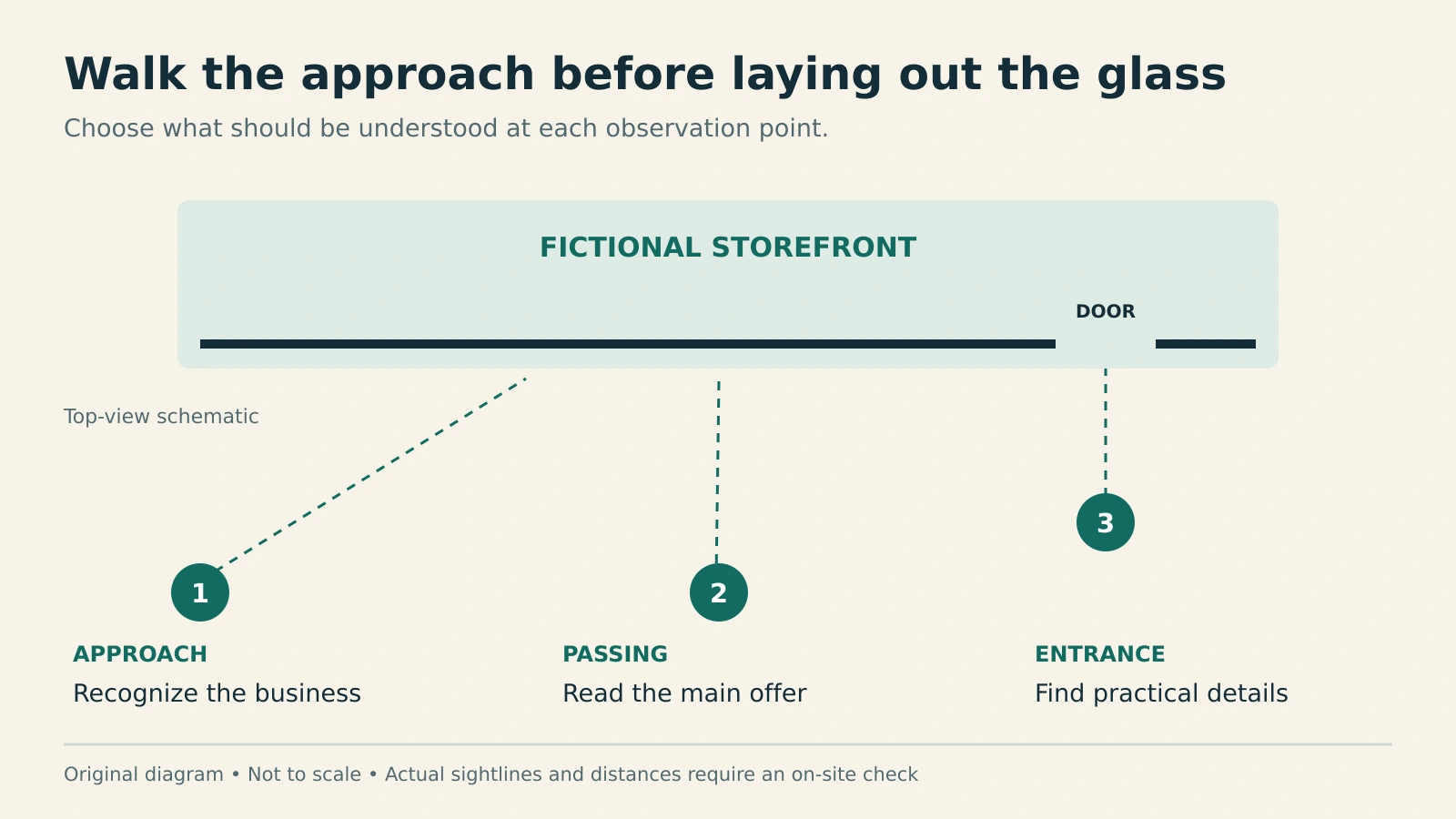
Assign one message to each viewing task
Give the longest-distance message the strongest position and simplest wording. In this example, BAKERY does more useful work than a paragraph about ingredients. A closer offer can say Bread baked daily, with practical details placed near the entrance. The exact wording will change by business, but each line should have a reason to exist at its intended viewing point.
Keep essential words within a clear pane whenever possible. If a design spans several panes, lay the frames over the artwork at their measured widths. Check that a mullion does not split a short word into an awkward reading puzzle. Repeat a small brand element across panels if that helps continuity; avoid repeating the full offer on every pane simply to fill space.
Make an early full-size paper sample of the main line and view it from the chosen points, where permitted and safe. Ask a person who has not seen the design what they read first. Record their answer before explaining the message. If they must stop and search, simplify the wording, increase its prominence or change its position.
A reduced-scale print is useful for checking composition, but it cannot recreate reflections, interior clutter or changing light. Do not approve reading distance solely by zooming out on a monitor. Avoid treating a single letter-height formula as a substitute for a test of this storefront and this typeface.
Separate glass coverage from film openness
Decide where the graphic sits before deciding which material fills that area. Cut lettering, solid printed panels and perforated film solve different visual problems. Compare them using the same measured elevation and the same inside and outside views.
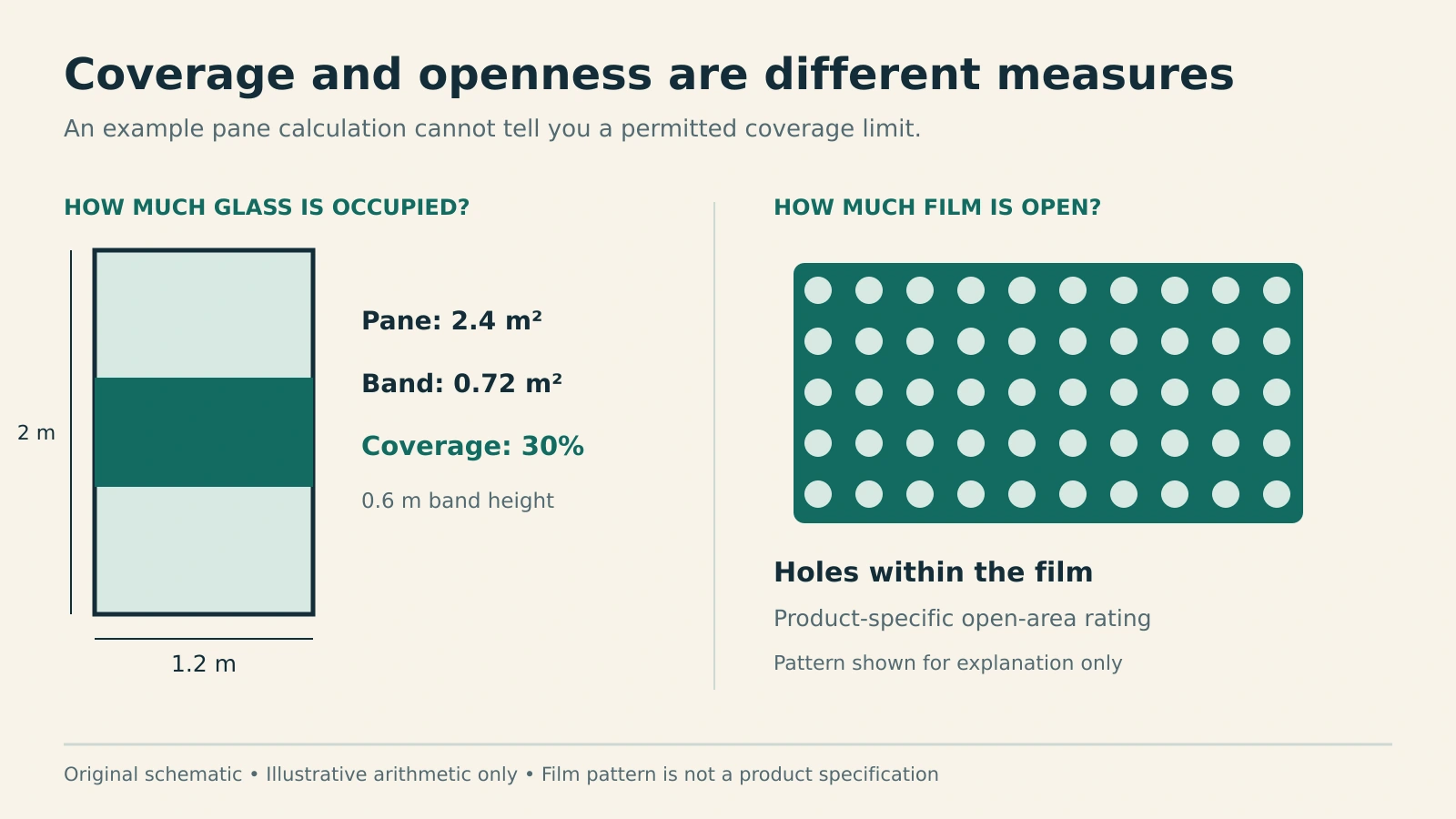
Two percentages can otherwise become confused. Glass coverage describes how much of the pane a graphic occupies. Open area describes the perforations within a particular film. Avery Dennison’s MPI Perforated Window Series lists 50% and 35% open-area options. Neither number tells you what portion of a particular storefront should be covered.
For planning arithmetic, a 1.2-metre-wide, 2-metre-high pane has 2.4 square metres of area. A full-width graphic band 0.6 metres high occupies 0.72 square metres, or 30% of that pane. That is an illustrative layout calculation, not an allowable-coverage rule. Local requirements, lease conditions and project approvals need their own check with the responsible people.
Review the material in the lighting it will face
Request a suitable material sample and review it on representative glass with the installer or supplier. Confirm compatibility with the actual glazing, the intended mounting side and the proposed finishing system before ordering. A digital mockup cannot settle those material choices.
Perforated film also deserves a day-and-night review. Contra Vision explains that the conventional one-way effect depends on the exterior being brighter than the interior. When the shop is brightly lit and the street is dark, privacy can decrease and the graphic can look washed out. Treat claims about night privacy cautiously and check the exact product’s guidance. See Contra Vision’s explanation of interior lighting.
For the bakery example, that means checking the window during trading hours and during the lit evening cleanup period. If evening visibility matters, show the customer the actual sample under those conditions before approving an all-day appearance or privacy expectation.
Build a proof that can survive installation
Make the approval packet specific enough that the designer, owner and installer are reviewing the same storefront:
- Measured elevation: numbered panes, glass dimensions, frame widths and the entrance.
- Appearance views: the full frontage plus useful approach angles, clearly labeled as mockups.
- Content schedule: the exact wording assigned to each pane, including hours and small details.
- Material notes: chosen product, mounting side and the sample reviewed.
- Approval record: revision number, date, approved coverage and any remaining site checks.
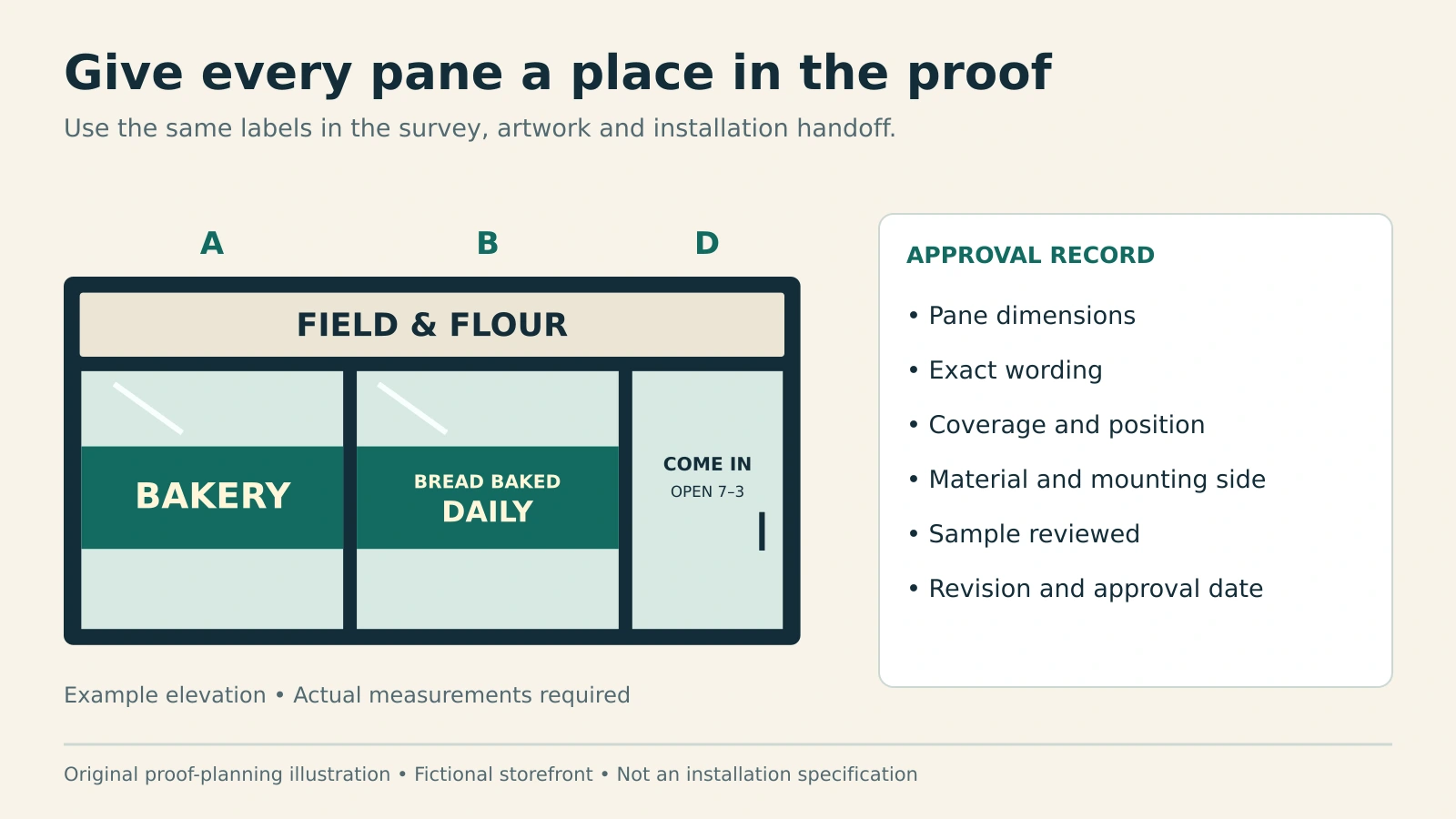
Ask the installer to verify the field dimensions before production release. After installation, photograph the finished work from the same observation points used in the survey and compare it with the approved proof. Save those views with the pane schedule for the next seasonal update. A good window system lets the offer change without forcing the business to rethink every pane. Use the print-ready artwork checklist for the separate bleed, resolution and export checks before production.